
The game
A good run starts with a little space.
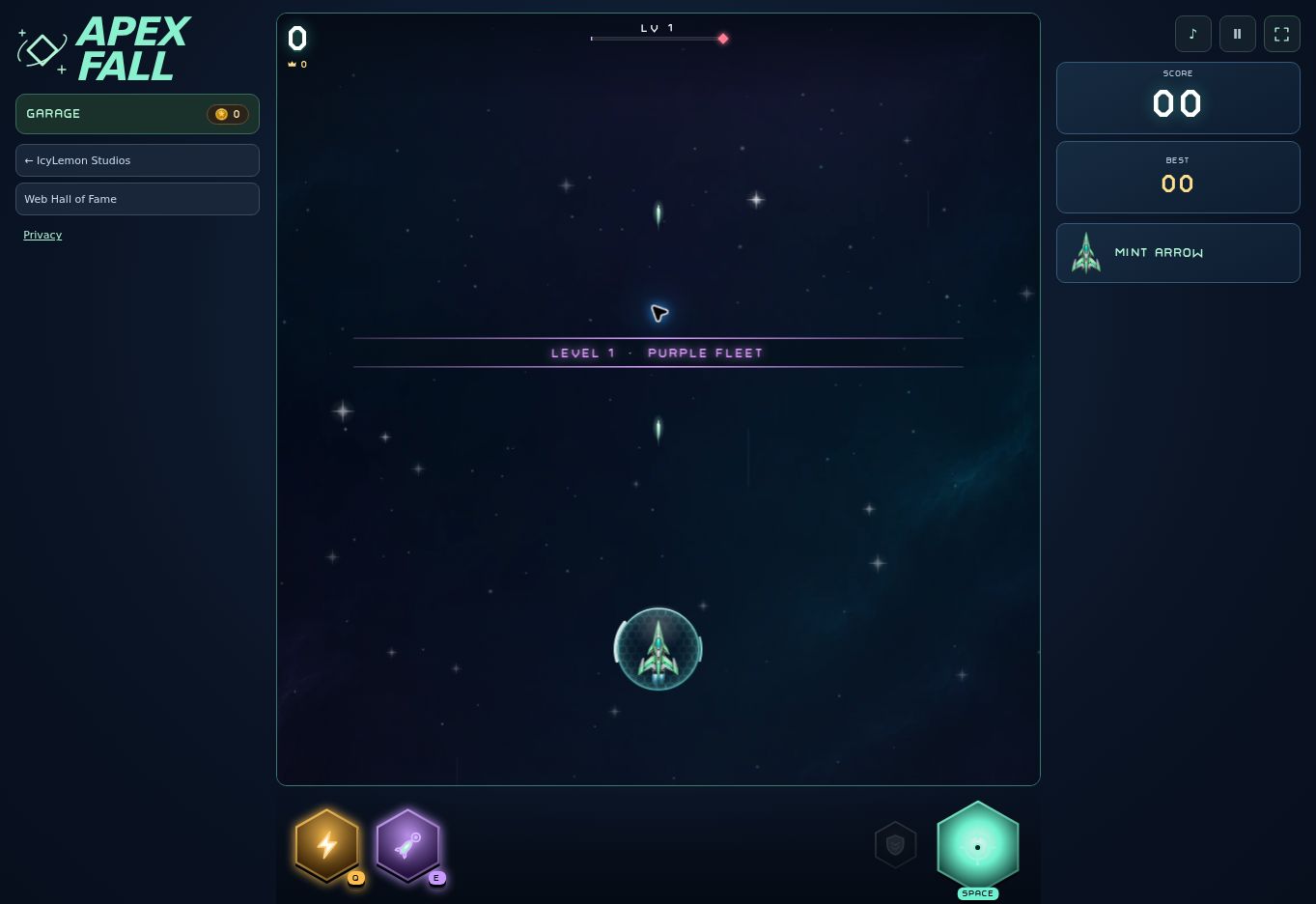
Apex Fall is an original single-player arcade game from IcyLemon Studios. You steer through a portrait arena while enemies and obstacles approach from above. Moving into a clear lane is often more useful than chasing one last target. Your ship has a regular shot, a weapon power and a special ability, so a run is about choosing the right moment as well as reacting quickly.
The campaign moves through purple, yellow, blue and red enemy families. Their movement and attacks change, so a pattern that worked in an earlier stage may need a different response later. The Apex Serpent returns every ten stages. Between attempts, the Garage lets you choose an unlocked ship and spend earned coins on upgrades.
Your first session
How to play
- Choose your ship. Open the Garage to inspect your fleet, equip an unlocked ship, or review upgrades. Start with the Mint Arrow and learn its movement before changing several upgrades at once.
- Move and fire. On a keyboard, steer with WASD or the arrow keys and hold Space to shoot. On a touchscreen, drag to move and use the Fire pad, or select Move + fire in Settings.
- Read the arena. Avoid debris and hostile shots, collect useful pickups when the route is clear, and leave yourself room to change direction. Q triggers the weapon power; E triggers the ship’s special ability when ready.
- Review your run. After a run, check your time, kills and stage. You can optionally enter a public nickname for the web Hall of Fame, then return to the Garage or try again.
Make yourself comfortable
Controls at a glance
| Action | Computer | Touchscreen |
|---|---|---|
| Move | WASD or arrow keys | Drag within the play area |
| Regular fire | Hold Space | Hold Fire, or choose Move + fire |
| Weapon power | Q | Tap the weapon pad when ready |
| Ship special | E | Tap the special pad when ready |
| Pause | P or Esc | Tap the pause icon |
Play in a modern browser. Use the game’s sound, graphics and fullscreen controls to find a comfortable setup for your screen.
A better next attempt
Practical tips
- Keep an exit lane. Avoid making a long sideways move without looking at the space you will enter. A shorter correction can leave more room for the next wave.
- Collect with a purpose. A pickup is useful only if you survive reaching it. Let an awkwardly placed item pass when debris or enemy shots are closing the lane.
- Save a power for pressure. Watch the ready indicators rather than repeatedly pressing Q or E. A charged ability is valuable when several threats overlap.
- Change one upgrade at a time. Try the ship after an upgrade so you can feel the difference. Better equipment helps, but reading enemy patterns still matters.
Between sessions
Your browser progress and the web Hall of Fame
Coins, unlocked ships, upgrades, settings and personal records are saved in this browser. They do not automatically sync to another device or to the Android edition. Clearing site storage or using a private browsing session can remove local progress.
The browser Hall of Fame is optional and separate from the phone game’s weekly ranking. It keeps all-time best web runs ordered by survival time, then kills. A saved nickname lets later completed runs submit from this browser. Use a nickname that does not reveal personal information. You can inspect the existing rankings from the trophy button or the studio’s Hall of Fame.
Good to know
Common questions
Can I play without joining the leaderboard?
Yes. The game is playable without submitting a public nickname. The online Hall of Fame is an optional part of the browser edition.
Why is my browser score different from my phone score?
The website and Android edition keep separate progress and ranking records. The web board is all-time; the phone game’s weekly ranking follows its own rules.
How can I make the game smoother?
Use Settings to try a lower graphics setting and a frame-rate option suitable for your device. Close other heavy browser tabs. A chosen setting is a target, and performance depends on the device and browser.
Why might a video reward be unavailable?
Optional video rewards depend on a working advertising provider and an available ad. If a video cannot complete, no ad reward is given. You can continue playing and collecting coins through normal gameplay.
Release notes
What’s changed
Added this game overview, controls, practical tips, save guidance and common questions. Play opens the dedicated game view, keeping the guide and gameplay easy to navigate.
Apex Fall replaced Neon Dodge on the studio website, with existing browser progress and web Hall of Fame records retained.